A Real-World Minecraft Compass
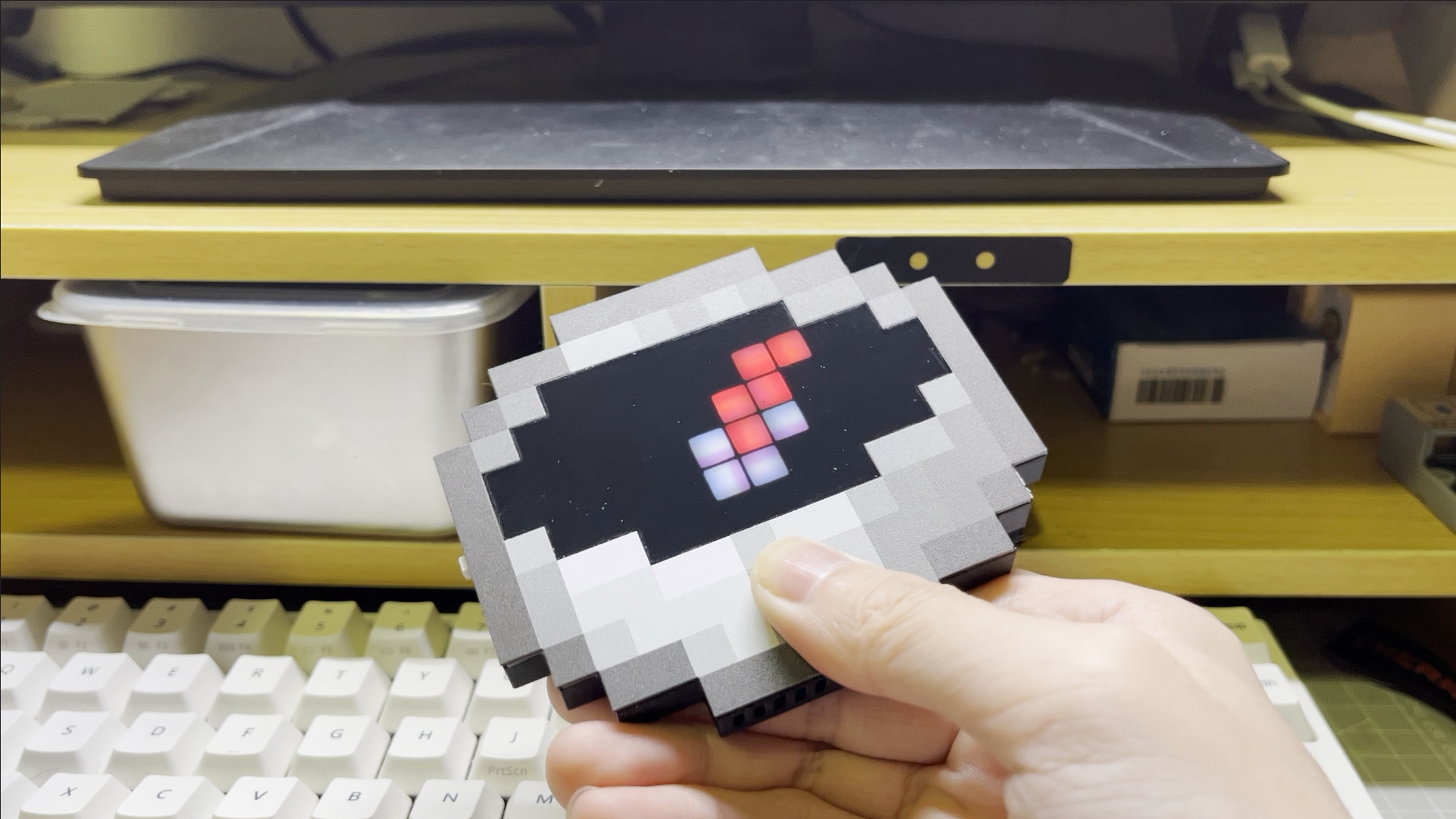
- All Minecraft game assets are copyrighted by Microsoft, Therefore, this project does not provide in-game compass image assets.
- The panel file pixel blocks have been drawn and can be directly used to place an order on the LCSC panel order.
- The original compass model extraction images are not provided.
- The copyright of the Standard Galactic Alphabet font used on the PCB silkscreen is unclear. If you use this project for commercial purposes, ** please remove the Standard Galactic Alphabet from the PCB backside**
Compilation Instructions
For Non-Compilers
The repository includes GitHub Actions.You can download pre-built firmware from the latest successful "Build Firmware Workflow" run under Actions
Eight files are available at the bottom of the workflow page. Choose one based on your geomagnetic sensor model and needs. WiFi/Bluetooth modes can be switched later via web/BLE.
| File Name | Description |
|---|---|
| mcompass-GPS-BLE-f19c2a6.bin | GPS version, BLE mode (configure via Mini Program) |
| mcompass-GPS-WIFI-f19c2a6.bin | GPS version, WiFi mode (configure via web) |
| mcompass-LITE-BLE-f19c2a6.bin | Standard version, BLE mode (configure via web) |
| mcompass-LITE-WIFI-f19c2a6.bin | Standard version, WiFi mode (configure via web) |
After downloading, extract mcompass.bin and flash it to an ESP32C3 using Flash Download Tool(select USB mode).
The firmware merges bootload.bin, partitions.bin, firmware.bin, and littlefs.bin. Flash at address 0x0 with default settings (SPI SPEED: 40MHz; SPI MODE: DIO).
Or flash instantly with Android app https://play.google.com/store/apps/details?id=io.serialflow.espflash — one-tap, no PC.

Manual Compilation
The firmware is built on PlatformIO (Arduino framework). Dependencies are stored locally in the lib folder. Install PlatformIO separately.
The Firmware/assets folder includes extract_pixels.py, which processes compass{id}.bmp (10x5 images) to generate LED layout headers.
Web Server Compilation
The WiFi mode’s web server uses Next.js. Install Node.js, navigate to the Server folder, and run:
npm i
npm run build
Copy the generated Server/out contents to Firmware/data. Use Firmware/assets/compass_web_data.py to compress web resources (reduces flash usage). Finally, use PlatformIO’s Build Filesystem Image and Upload Filesystem Image to deploy the server files.
Features
Bluetooth Mode
Since the Bluetooth mode relies on WeChat Mini Program for configuration, and most users may not use WeChat, this section will not be translated for now. If needed, please let me know and I'll provide the translation.

Web Server Mode
- On first boot, if no spawn point is configured, a hotspot named The Lost Compass will be created. Connect to it and visit:http://esp32.local or http://192.168.4.1 (fallback IP).
- If WiFi credentials are saved, the device will attempt to reconnect. If failed, the hotspot reappears.
- Quick-tap the button 4 times to display the current IP address.
Button Actions
- Single presses to switch between spawn and compass mode.
- 4 quick presses: Shows IP (Web Server mode).
- 6 quick presses: Enters sensor calibration (follow on-screen 8-figure motion).
- 8 quick presses: Factory reset (clears all settings).
- Long press:
- In "Spawn Point" mode (with GPS signal): Sets current location as new spawn point.
- In "Compass" mode: Switches to Nether mode (needle spins randomly).
Note: GPS requires open outdoor environments. Without signal, the needle will spin erratically.